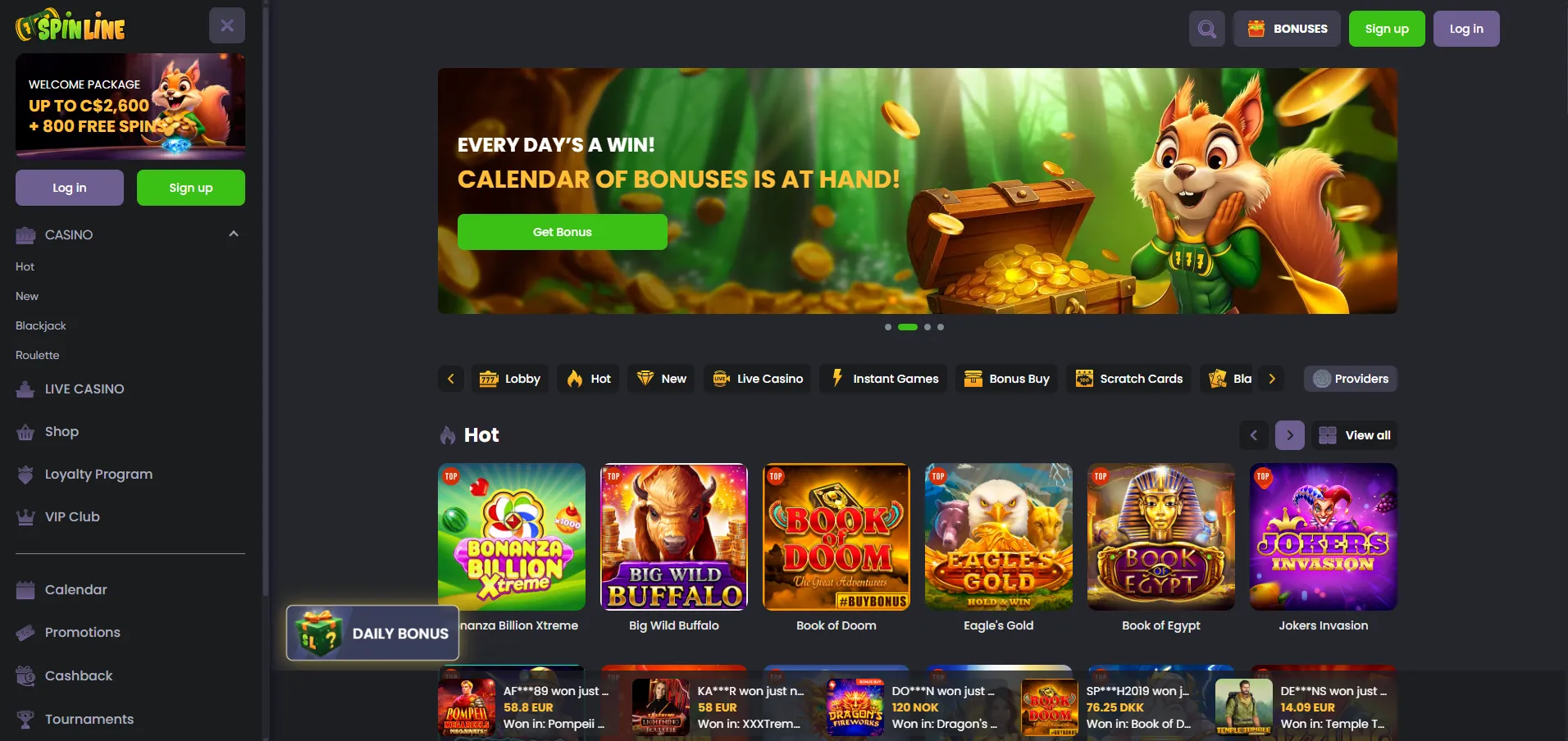
Mobile browsing is often the simplest way to explore casino categories, live tables and account information without installing software. The Canadian version of spinsy casino is designed for responsive use on Android and iOS, with the lobby, promotions, challenges, Shop and account controls available through a mobile browser. A few practical habits can make the experience easier: use a stable connection, check that pages load correctly, understand how shortcuts work and protect your account before moving between games or account areas.
Start with the browser rather than an unnecessary app
The mobile site is browser-based, so users do not need to search the App Store or Google Play for a native installation. Open the website in a current browser on an Android phone or iPhone, then allow the page to adapt to the handset’s screen. This approach keeps the experience tied to the browser account rather than creating a separate app profile, balance or set of credentials.
A responsive layout is particularly useful when browsing a large catalogue. Menus, game tiles and account options can be viewed on a smaller display, while search and category filters help reduce scrolling. The casino lobby includes sections such as Top, New, Popular, Exclusive, Live Games, Instant Games, Slots, Table Games and jackpots. Provider filters can also help when a player already knows the studio or game style they want to inspect.

Before using the site, update the phone’s operating system and browser where practical. Avoid opening the account through links received in unexpected messages, and check the address bar for the correct domain before entering credentials. A strong screen lock and a private device are also sensible basics. Mobile convenience should not mean treating a shared or unsecured phone as though it were a personal computer.
Make the mobile lobby easier to scan
A smaller screen can make a large games catalogue feel crowded, particularly when several categories appear in the same menu. Start with a specific browsing question: are you looking for a slot, an instant game, a table game, a jackpot title or a live dealer table? Choosing the closest category first is usually faster than swiping through the full lobby.
Search and provider filters are useful when discovery needs to be more precise. A provider name can narrow the results, while a category can reveal different formats within the same general type. Live casino browsing is divided into areas including roulette, blackjack, baccarat and dice, poker, international tables, game shows and Gold Saloon. Game-show examples listed by the site include Crazy Time, Mega Ball and Deal or No Deal.
Some titles support demo play, which can be useful for learning the interface before deciding whether a game is suitable for further consideration. Demo access should not be mistaken for proof of likely results, return or volatility. It only helps you understand controls, menus and pace. On a phone, also check whether buttons are clearly visible and whether the game remains comfortable to use in portrait or landscape orientation.
Use shortcuts without confusing them with an app
A shortcut can make a frequently visited mobile website easier to reach. The site provides a Create Shortcut option: on Android, the browser can add it to the home screen through “Add to Home screen”. On iOS, the equivalent route is normally available through the Share menu, where the page can be added to the home screen.
This shortcut does not represent a separate native application. It opens the same mobile web account and balance in the browser environment. That distinction matters when troubleshooting: clearing browser data, changing browser settings or switching devices may affect how the shortcut behaves, but it does not create a new account or duplicate funds.
Keep only shortcuts you recognize, and remove old ones if the website address changes or the device is handed to another person. A shortcut is not a security certificate, so it remains important to inspect the address bar when the page opens. For broader advice about protecting phones, accounts and personal information online, consult the Canadian government’s online security guidance.
Check the connection before using interactive content
Casino browsing and live content can place different demands on a mobile connection. Reading categories or opening a game description may work comfortably on ordinary mobile data, while live dealer video and real-time sports pages can require a steadier connection. If a page stalls, avoid repeatedly tapping buttons, particularly around account or transaction areas, until you know whether the first request completed.
Wi-Fi is not automatically safer than mobile data. A private, password-protected home network is generally preferable to an unfamiliar public hotspot, but the main protection still comes from the correct website address, current software and careful handling of credentials. Avoid saving passwords in a browser used by other people, and do not allow a shared device to retain account details after browsing.
Battery and screen settings can also affect the experience. A low-power mode may reduce background activity, while an automatic screen lock can interrupt a live page or a longer browsing session. These are practical usability issues rather than guarantees of service performance. If a game or live page behaves unexpectedly, refresh only after checking whether the connection is stable, and contact support if an account action remains unclear.
Keep account actions separate from casual browsing
The mobile browser provides access to more than game categories. Account controls, promotions, challenges, the Shop, VIP information, cashier functions and transaction details may all appear within the same mobile environment. That convenience makes it worthwhile to pause before moving from casual browsing to an account action, especially when a promotion or bonus condition is involved.
Promotion terms can change, and the Canadian registration and promotions pages display different offers and requirements. Do not assume that a bonus applies simply because it appears in a banner or category. Check the stated conditions in the account’s bonus area, including activation steps, wagering requirements, expiry periods and any restrictions on qualifying activity. If a term is unclear, ask support before making a decision.
Verification can also affect account actions. The operator states that identity, payment ownership, address or source-of-funds information may be requested, and withdrawals can remain pending until required checks are completed. Keep documents private, use only the official support route shown on the account or site, and avoid sending sensitive information through an unverified message. If the phone is lost, change important credentials from a trusted device and seek account support promptly.
Mobile browsing FAQ
Is a native mobile app required?
No. The site is described as a responsive mobile website for Android and iOS. Users can browse through a mobile browser, and the Create Shortcut feature can place a home-screen icon on supported devices. The shortcut opens the mobile web account rather than installing a separate native application.
Can I browse games before choosing one?
Yes. The mobile lobby includes search, category and provider filters, and many listed titles support demo play. Demo mode can help you understand controls and presentation, but it cannot establish future results, realistic returns or the suitability of a game for real-money play.
What should I do if the mobile page stops responding?
First check the connection, confirm that the browser is current and avoid repeated taps around account or transaction controls. Refresh only when you are satisfied that a request has not completed. If the problem continues, record the time and page involved, then contact the operator’s available support channel.